What EU-funded project teams need to check before inaccessible websites, PDFs and videos become a monitoring issue.
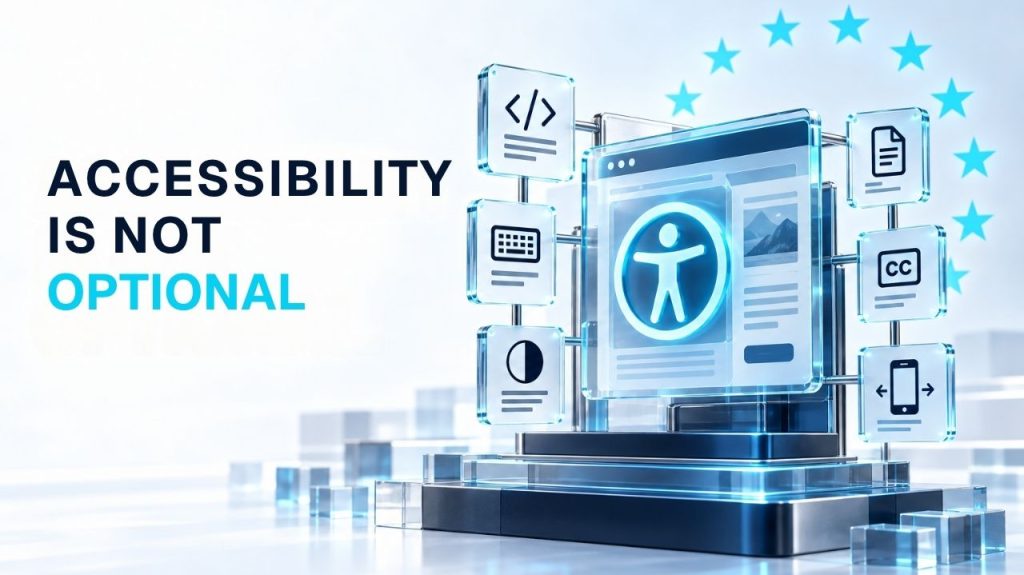
Olena Soinikova · Research & field notes ·
The cookie banner covers half the page on mobile. The heading structure is broken. None of the uploaded PDFs have a text layer.
Nobody planned for this, and nobody budgeted for it. Six months into a live project, it is a compliance question.
Accessibility requirements in the EU are spread across multiple legal instruments, and none of them apply to every organisation in the same way.
Directive (EU) 2016/2102, the Web Accessibility Directive, applies to public-sector bodies. It requires websites and mobile applications to meet EN 301 549, the harmonised European standard based primarily on WCAG 2.1 Level AA. Public-sector bodies must also publish a detailed accessibility statement and provide a feedback mechanism.
The European Accessibility Act, Directive (EU) 2019/882, has applied to covered products and services since 28 June 2025, with certain exceptions and transitional provisions. It covers specific products and consumer-facing digital services: e-commerce, consumer banking, certain transport services, and e-books. It does not mean that every private website in Europe automatically falls under its scope.
And then there is the grey area where most grant-funded organisations actually operate.
There is no single rule that says every Erasmus+ or Horizon Europe project website must comply with the Web Accessibility Directive. The obligation depends on several factors that vary from project to project: the legal status of the beneficiary, national transposition of the directives, procurement conditions attached to the grant, and requirements written into the specific call or grant agreement.
A public university will often fall within the public-sector framework, while a privately constituted NGO may not, although legal form alone does not always determine the answer.
What does apply universally is a different kind of pressure. Accessibility is relevant across EU digital policy, procurement and publicly funded service delivery, and project officers assess digital deliverables accordingly.
A project that publishes inaccessible PDFs, builds a website that cannot be operated without a mouse, or embeds videos without captions is not necessarily violating a specific legal clause. But it is producing outputs that fall below the standard the Commission expects from publicly funded communication.
The dissemination and communication section of any Horizon Europe periodic report asks what you did and how you did it. An inaccessible project website is evidence of a communication deliverable that does not meet professional standards. A project officer or reviewer does not need to establish a breach of the Web Accessibility Directive to question the quality, usability or reach of that deliverable.
Organisations get stuck trying to determine their exact legal obligations. That question matters, and it is worth answering properly with legal counsel or a compliance review for the specific grant agreement and national context. But the practical problem can be addressed separately, and much sooner.
Most accessibility failures on EU-funded project websites are not obscure technical edge cases. They cluster in four areas that any team can check without specialist tools.
Headings are chosen for visual size, not semantic hierarchy, so screen readers cannot distinguish a section title from body text. Pages often have no skip-to-content link. Keyboard users tab through the entire navigation on every page load.
Problems show up the moment anyone tries to use the site without a mouse. Menus, modals, cookie banners and embedded widgets trap the keyboard or cannot be reached. Focused elements may be hidden behind sticky headers, while the tab order bears no relationship to the visual layout.
These failures affect many people, including users with no diagnosed impairment. Light grey text on white backgrounds is common. Content breaks at 200% zoom. Essential information lives inside images without alternative text.
Form fields lack programmatic labels. Error messages say something went wrong without saying what. Videos use auto-generated captions that nobody reviewed. On mobile, the theme disables zoom and menus cover focused content. This is the default state of many WordPress sites built without accessibility as a design constraint.
The current harmonised European standard, EN 301 549 v3.2.1, references WCAG 2.1 requirements. For new builds, however, WCAG 2.2 Level AA is the more sensible internal design and QA target, regardless of whether a specific legal obligation currently applies to the project.
This is a pragmatic decision, not an idealistic one. Accessibility requirements are expanding across EU digital policy, procurement and service delivery. The European Accessibility Act is in force. Designing to a recognised standard now reduces the risk of costly remediation in the next project cycle.
The grant ecosystem also rewards it quietly. An accessible, well-structured website signals institutional capacity. Consortium partners checking a potential coordinator’s digital presence before joining a proposal notice the difference between a site that works and one that does not. So do reviewers and project officers.
And the cost argument is straightforward: a WordPress site with broken heading hierarchy, missing alt text and inaccessible forms requires a structural review of every template. That is not a quick fix. Organisations that address accessibility at the design stage spend a fraction of what organisations that retrofit spend after a monitoring visit.
It does not mean installing an accessibility overlay plugin and claiming compliance. Overlays do not fix the underlying code. A Lighthouse score of 90 on the homepage does not mean the site is accessible. A badge that says “WCAG compliant” without a scope, a date and a documented assessment method is worse than saying nothing. It is a claim the organisation cannot support.
Nor does every project need a full third-party WCAG audit before launch. For most EU-funded projects, a structured internal review against a practical checklist — covering headings, keyboard navigation, contrast, forms, media and documents — is a realistic and defensible first step.
The point is to build accessibility into the workflow as a checkpoint, not to treat it as a last-minute plugin exercise or to achieve perfect compliance on day one.
A useful first step is not a compliance badge, but a documented review. We created two resources for organisations that need to identify barriers and decide what should happen next.
Twenty items across structure and headings, keyboard and focus, readability and contrast, forms and interactive content. It does not produce a compliance claim. It helps the team identify obvious barriers before the next reporting period, event or partner review.
Scope note. Neither resource is legal advice. Specific obligations depend on the organisation, grant agreement, Member State and applicable directive. The technical quality of the website is within the team’s control, and checking it does not require waiting for a legal opinion.
Field notes, research and practical tools on EU projects, AI content systems, websites, accessibility and multilingual communication.

I use a free EU database to read commercial intentions before they become commercial announcements.
Olena Soinikova · August 24, 2026
While everyone else waits for the official call to open, the real game is already visible in draft Work Programmes, CORDIS consortium graphs and TED velocity spikes.
Olena Soinikova · August 10, 2026

Why Artificial Intelligence Is More Than Just a Toy — and How We Can Teach Our Children to Use It Wisely.
Olena Soinikova · Jube 06, 2026

AI Content Systems for European Organisations
Building scalable communication infrastructure for NGOs, EU-funded projects, and SMEs.
© 2026 Soinikova Digital. All rights reserved.
Tell us what your team needs to produce over the next three months. We will review the formats, languages, deadlines and recurring workload, then suggest an appropriate production scope.