
Children and AI: The Rules That Matter When the Technology Keeps Changing

Insights / AI & Content Systems Children and AI: The Rules That Matter When the Technology Keeps Changing A practical framework for privacy, verification, relational AI, schoolwork, consent and family communication. Olena Soinikova · Research & field notes · 8 September 2026 On this page Age limits Privacy and identity Fluency and reliability Relational AI The disclosure rule Learning and schoolwork Creation and consent What AI displaces Ten family rules The parent’s role Sources In 2025, I wrote about children and AI mainly as a digital literacy problem. Children needed to understand that AI could make mistakes, that algorithms influenced what they saw, and that personal information required protection. I would write that article differently in September 2026. The technology has moved from recommendation systems and occasional chatbot use towards something more personal. Generative AI can hold a long conversation, remember context, create realistic images, imitate voices and respond to a child’s worries in language that sounds attentive and reassuring. The evidence around children has moved as well. UNICEF updated its Guidance on AI and Children to Version 3.0 in December 2025. The framework now explicitly addresses AI companions, children’s well-being and AI-generated sexual abuse material alongside established concerns about safety, privacy, transparency and discrimination. In June 2026, UNICEF published separate recommendations on AI chatbots and companions. Australia’s eSafety Commissioner has since reported research involving 1,950 children aged 10–17 and their experiences with AI assistants and companions. Working with AI professionally has made one thing unexpectedly clear to me at home. Adults tend to explain the system. Children need to know what to do at the moment when the system gives them something convincing, personal or uncomfortable. That has changed the way I think about AI safety rules for children. The rules need to survive the next software update. Age limits tell parents something important, but not everything My earlier article used a simple formulation: children under 13 should use AI with adult supervision. I would remove it now. There is no universal minimum age for “AI”. There are age conditions for particular services, in particular countries, under particular account arrangements. OpenAI’s current European Terms, for example, require users to be at least 13 or the minimum age required in their country to consent to use the service. A user under 18 needs permission from a parent or legal guardian. OpenAI also states that ChatGPT is not intended for children under 13; in an educational context involving children below that age, the actual interaction with ChatGPT must be conducted by an adult. Other platforms have their own rules. I do not think there is a clean universal answer to the age question. Terms of service can establish when an account may be used. They cannot tell a parent when a particular child is ready to recognise persuasion, protect somebody else’s privacy or notice when a chatbot is becoming too important. That is why I would check the current rules of a service before a child starts using it rather than put a permanent platform age table on the family fridge. The family principle has a longer useful life: before starting a new AI service, check whether it is appropriate and available for that child’s age and account. Privacy becomes harder to see inside a conversation Children usually understand that a password is private. A home address is also relatively easy to classify. Conversational AI makes privacy less obvious. A child can mention the name of a school, describe an argument with a friend, explain where the family is going at the weekend, discuss something about their health or upload a photograph to ask a seemingly harmless question. None of these interactions feels like filling in a database. That is precisely why the distinction matters. UNICEF’s child-centred AI framework treats children’s data and privacy as a specific requirement, rather than something that can be left to general digital literacy. For families, I think the practical boundary should include information about other people as well. There is another reason for extending the rule beyond names and passwords. Generative systems can do something with the material they receive. A photograph can be altered. A voice can be imitated. A classmate can be placed into an image they never agreed to appear in. UNICEF reported in February 2026 that, across research covering 11 countries, at least 1.2 million children aged 12–17 said their images had been manipulated into sexually explicit deepfakes during the previous year. That number changes the conversation about children’s images. Consent is no longer an abstract digital citizenship lesson. A child who understands “ask before using another person’s face or voice” has a rule that works across image generators, video tools and whatever arrives next. Fluency still creates a reliability problem The older version of my article compared AI with a very smart parrot. I still think the metaphor can work with a younger child, although I would not build the adult explanation around it. The more useful concept is fluency. Generative AI can produce a wrong answer in exactly the tone in which it produces a correct one. It can invent a source, misstate a historical fact or confidently explain something it has misunderstood. Children therefore need a verification habit before they need a technical explanation of hallucinations. What needs checking depends on consequence. An idea for a fictional monster can remain an idea. A quotation for homework needs a source. Health information or something that could materially affect another person requires a much higher level of caution. This is closer to the kind of AI literacy I want a child to develop: not permanent suspicion, but judgement about when an answer needs another source or another person. Relational AI changes the conversation at home This is the part I would add most substantially to the original article. In 2026, Australia’s eSafety Commissioner published research based on 1,950 children aged
An EU grant does not create one universal accessibility rule. It does not make accessibility optional either.
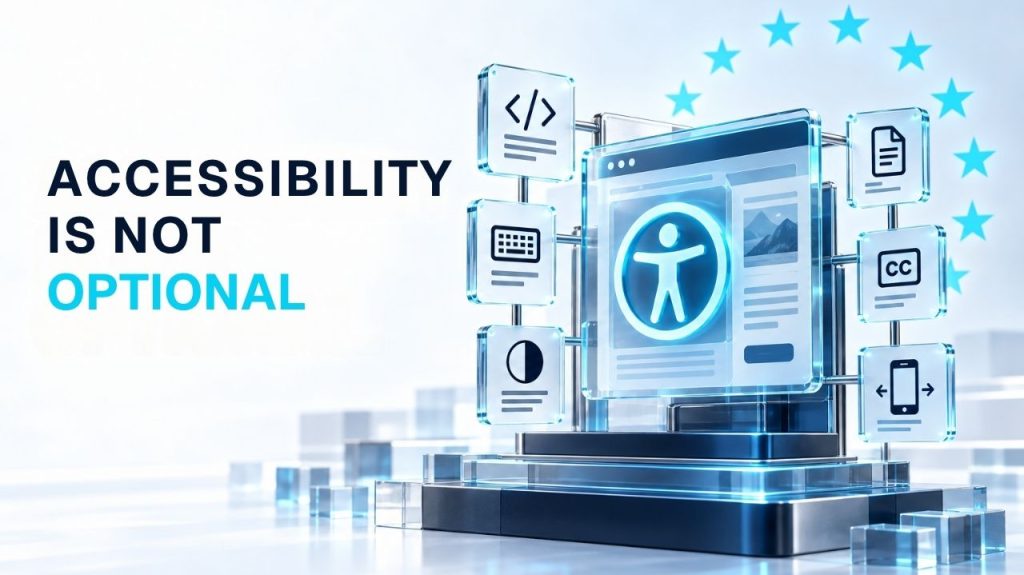
Insights / Web & Accessibility An EU grant does not create one universal accessibility rule. It does not make accessibility optional either. What EU-funded project teams need to check before inaccessible websites, PDFs and videos become a monitoring issue. Olena Soinikova · Research & field notes · 18 September 2026 On this page The confusion is understandable Where EU-funded projects sit The practical problem What accessibility-aware means What this does not mean A practical starting point Sources and further reading An Erasmus+ consortium launches a project website. The coordinator uploads the partner logos, adds a project summary, and publishes the site. Six months later, a project officer at the national agency opens the site during a monitoring review and cannot tab through the navigation with a keyboard. The cookie banner covers half the page on mobile. The heading structure is broken. None of the uploaded PDFs have a text layer. Nobody planned for this, and nobody budgeted for it. Six months into a live project, it is a compliance question. The confusion is understandable Accessibility requirements in the EU are spread across multiple legal instruments, and none of them apply to every organisation in the same way. Directive (EU) 2016/2102, the Web Accessibility Directive, applies to public-sector bodies. It requires websites and mobile applications to meet EN 301 549, the harmonised European standard based primarily on WCAG 2.1 Level AA. Public-sector bodies must also publish a detailed accessibility statement and provide a feedback mechanism. The European Accessibility Act, Directive (EU) 2019/882, has applied to covered products and services since 28 June 2025, with certain exceptions and transitional provisions. It covers specific products and consumer-facing digital services: e-commerce, consumer banking, certain transport services, and e-books. It does not mean that every private website in Europe automatically falls under its scope. And then there is the grey area where most grant-funded organisations actually operate. Where EU-funded projects sit There is no single rule that says every Erasmus+ or Horizon Europe project website must comply with the Web Accessibility Directive. The obligation depends on several factors that vary from project to project: the legal status of the beneficiary, national transposition of the directives, procurement conditions attached to the grant, and requirements written into the specific call or grant agreement. A public university will often fall within the public-sector framework, while a privately constituted NGO may not, although legal form alone does not always determine the answer. What does apply universally is a different kind of pressure. Accessibility is relevant across EU digital policy, procurement and publicly funded service delivery, and project officers assess digital deliverables accordingly. A project that publishes inaccessible PDFs, builds a website that cannot be operated without a mouse, or embeds videos without captions is not necessarily violating a specific legal clause. But it is producing outputs that fall below the standard the Commission expects from publicly funded communication. The dissemination and communication section of any Horizon Europe periodic report asks what you did and how you did it. An inaccessible project website is evidence of a communication deliverable that does not meet professional standards. A project officer or reviewer does not need to establish a breach of the Web Accessibility Directive to question the quality, usability or reach of that deliverable. The practical problem is simpler than the legal one Organisations get stuck trying to determine their exact legal obligations. That question matters, and it is worth answering properly with legal counsel or a compliance review for the specific grant agreement and national context. But the practical problem can be addressed separately, and much sooner. Most accessibility failures on EU-funded project websites are not obscure technical edge cases. They cluster in four areas that any team can check without specialist tools. 01 Set up the working system Headings are chosen for visual size, not semantic hierarchy, so screen readers cannot distinguish a section title from body text. Pages often have no skip-to-content link. Keyboard users tab through the entire navigation on every page load. 02 Keyboard and focus Problems show up the moment anyone tries to use the site without a mouse. Menus, modals, cookie banners and embedded widgets trap the keyboard or cannot be reached. Focused elements may be hidden behind sticky headers, while the tab order bears no relationship to the visual layout. 03 Contrast and readability These failures affect many people, including users with no diagnosed impairment. Light grey text on white backgrounds is common. Content breaks at 200% zoom. Essential information lives inside images without alternative text. 04 Forms and interactive content Form fields lack programmatic labels. Error messages say something went wrong without saying what. Videos use auto-generated captions that nobody reviewed. On mobile, the theme disables zoom and menus cover focused content. This is the default state of many WordPress sites built without accessibility as a design constraint. What “accessibility-aware” means in practice The current harmonised European standard, EN 301 549 v3.2.1, references WCAG 2.1 requirements. For new builds, however, WCAG 2.2 Level AA is the more sensible internal design and QA target, regardless of whether a specific legal obligation currently applies to the project. This is a pragmatic decision, not an idealistic one. Accessibility requirements are expanding across EU digital policy, procurement and service delivery. The European Accessibility Act is in force. Designing to a recognised standard now reduces the risk of costly remediation in the next project cycle. The grant ecosystem also rewards it quietly. An accessible, well-structured website signals institutional capacity. Consortium partners checking a potential coordinator’s digital presence before joining a proposal notice the difference between a site that works and one that does not. So do reviewers and project officers. And the cost argument is straightforward: a WordPress site with broken heading hierarchy, missing alt text and inaccessible forms requires a structural review of every template. That is not a quick fix. Organisations that address accessibility at the design stage spend a fraction of what organisations that retrofit spend
Before You Produce an AI Avatar: What It Actually Means for People, Teams and Organisations

Insights / AI & Content Systems Before You Produce an AI Avatar: What It Actually Means for People, Teams and Organisations What to decide about representation, permissions, multilingual review and continuity before avatar production begins. Olena Soinikova · Research & field notes · 8 September 2026 On this page What an avatar is useful for HeyGen and the changing category A digital likeness as an asset Multilingual production Trust and transparency People, rights and platform control Accessibility in the brief Beyond the first video Planning before production AI Avatar Planning Checklist An organisation creates an AI avatar of one of its people. The first English video looks clear and professional. A few months later, the team needs the same message in four other languages. A partner asks whether it can use the avatar too. Some information in the original video needs updating. Then the person whose face and voice were used prepares to leave the organisation. This is usually the point when the interesting questions begin. Who can create another video, what can the avatar say, who checks the translations, does the original permission cover a partner organisation, and what happens to existing videos after the person leaves? If the organisation changes its AI platform, what exactly can it take with it? These are decisions about representation, trust, responsibility and continuity. For organisations using AI video across several projects or languages, an avatar is becoming more than a production shortcut. It can become a reusable communication asset that continues to speak on behalf of an organisation long after the first video has been published. That changes the planning considerably. The useful part is not that the avatar looks human The obvious advantage of an AI avatar is production. A traditional video connects the message to a recording session. If the script changes, somebody may need to record again. Another language means another version. Six months later, a figure changes and part of the process starts again. An AI avatar separates the presenter from that recording session. For training, project explainers, recurring information and multilingual content, this can be genuinely useful. I see the relevance particularly clearly in European project environments. One organisation may need to explain the same programme or service to audiences in several countries, while the communication budget was certainly not designed for separate filming in every language. This production advantage should not be confused with communication effectiveness. Research in educational settings has found comparable learning outcomes between AI-presented and human-presented video in some contexts, while participants can still prefer the human experience. The evidence does not give organisations a universal rule about which presenter works better. The task matters more. A recurring explanation of how a programme works has different requirements from a personal testimony. A training module is different from a leadership statement. A routine update that needs to exist in six languages has little in common with a message whose value comes partly from the fact that a particular person chose to deliver it personally. Sometimes an organisation needs a presenter. Other times it needs the presence of an actual person, and better visual realism cannot decide between the two. HeyGen shows how quickly the category has moved HeyGen is a useful example because the platform shows how much the idea of an AI avatar has expanded. I work with HeyGen and am a HeyGen Ambassador. This gives me a close view of the production possibilities, but I am increasingly interested in what happens around the technology once organisations start using it regularly. The original proposition was straightforward: provide a script, select or create a presenter and produce a video without arranging another filming session. The current model goes much further. HeyGen includes stock avatars, photo-based avatars and Digital Twins created from real people. A Digital Twin can reproduce a person’s appearance and voice for new scripts. The same production environment can also support multilingual video and localisation across more than 175 languages and dialects. At that point, the avatar is doing something more significant than replacing a filming session. A recognisable digital version of a person can be reused for new messages, updated without another recording and presented to audiences who speak different languages. That is a new capability for a communication team. It also shifts some of the work. Once a Digital Twin exists, somebody needs authority to use it. Future scripts need an approval route. New languages introduce new reviewers. A change in the person’s role may change what the avatar should represent. HeyGen provides the production capability. The organisation has to decide how that capability fits into its own communication system. The better these tools become, the more relevant that distinction becomes. A digital likeness is a different kind of asset The distinction is particularly important when an organisation moves from a stock presenter to a digital version of a real person. A stock avatar represents no employee in the organisation. A fictional character can be given a defined communication role. A digital likeness of a CEO, trainer, project manager or expert carries an identity that already exists outside the platform. Once that likeness has been created, a new appearance may no longer require a new recording. Someone prepares the script; the system generates the voice and image; the digital version of the person delivers words that the person did not personally record. For routine production, that is extremely convenient. It also changes what approval means. Approval of the original recording is one decision. Permission to generate future messages is a much broader one. Over time, the difference matters. The employee may change position. Another project may want to use the avatar. A partner organisation may ask to include it in its own communication. The next script may cover a subject that was never contemplated when the avatar was created. There is an audience dimension too. A digital likeness can imply expertise, personal